Pragmatico
Glance for iPhone, iPad & Mac

Screenshot → translate.
Reply without
leaving the chat.

A bring-your-own-key translator. Read anything, reply anywhere — powered by the AI models you choose.

Download on the App Store Mac version coming soon
Glance app icon

Why Glance

004 — What it does
01
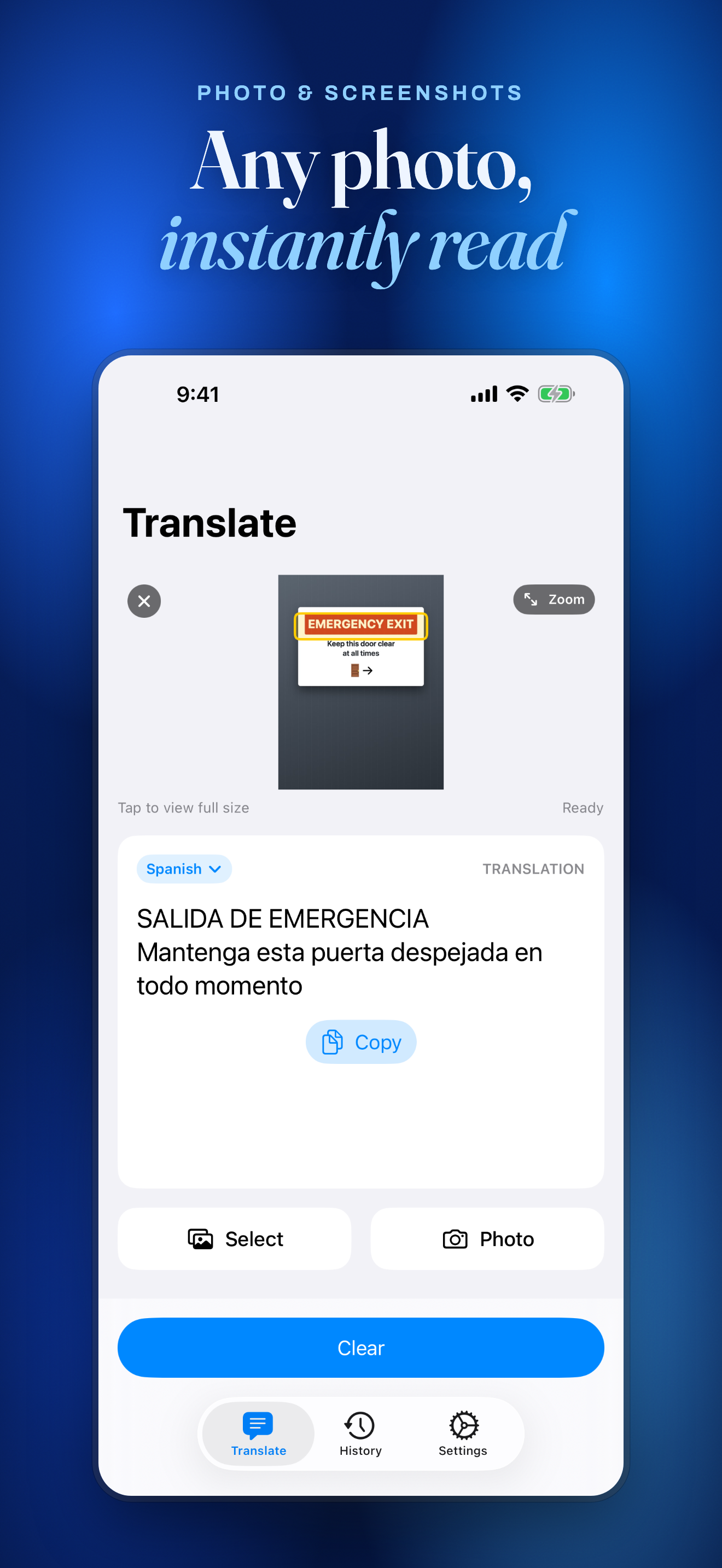
Screenshot → translate
Point your camera at a menu, or drop in a screenshot. Glance reads the text on your device and translates it instantly.
02
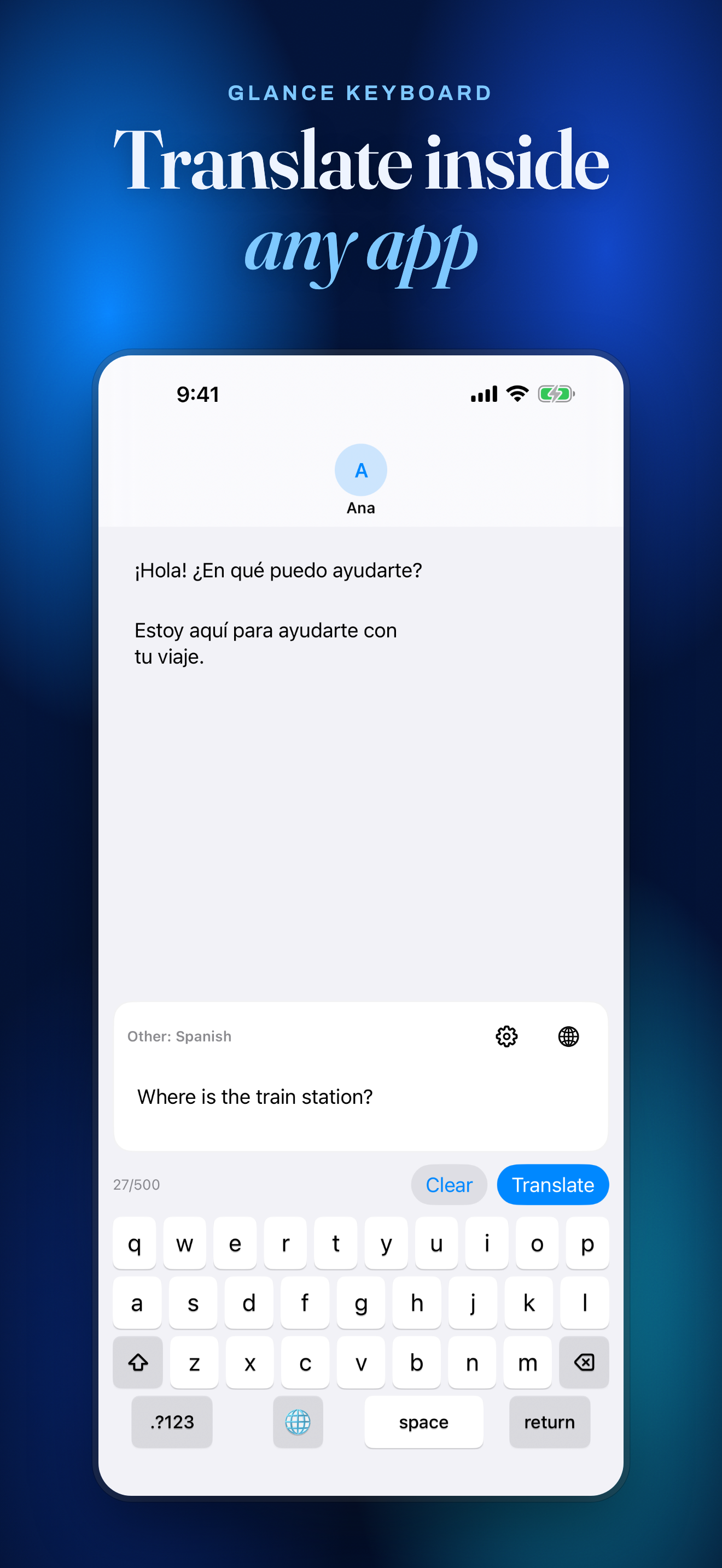
Reply without leaving the chat
The Glance keyboard translates your draft right where you type — in WhatsApp, Telegram, anywhere. No copy-paste, no app-switching.
03
Translation that actually reads well
Powered by modern LLMs, not a phrase book. Glance understands tone, slang, and context the way older translators can’t.
04
Bring your own AI key
Connect your own OpenRouter key and pick the model. No subscription, no middleman — your text goes straight to the provider you chose.

How it works

003 — Three steps
01
Add your key

Paste an OpenRouter API key once. It’s stored in your device Keychain — never on a server.

02
Capture or type

Screenshot, snap a photo, share text, or type directly in the Glance keyboard.

03
Read it in your language

Get a natural translation in place — and reply without switching apps.

A look inside

Preview
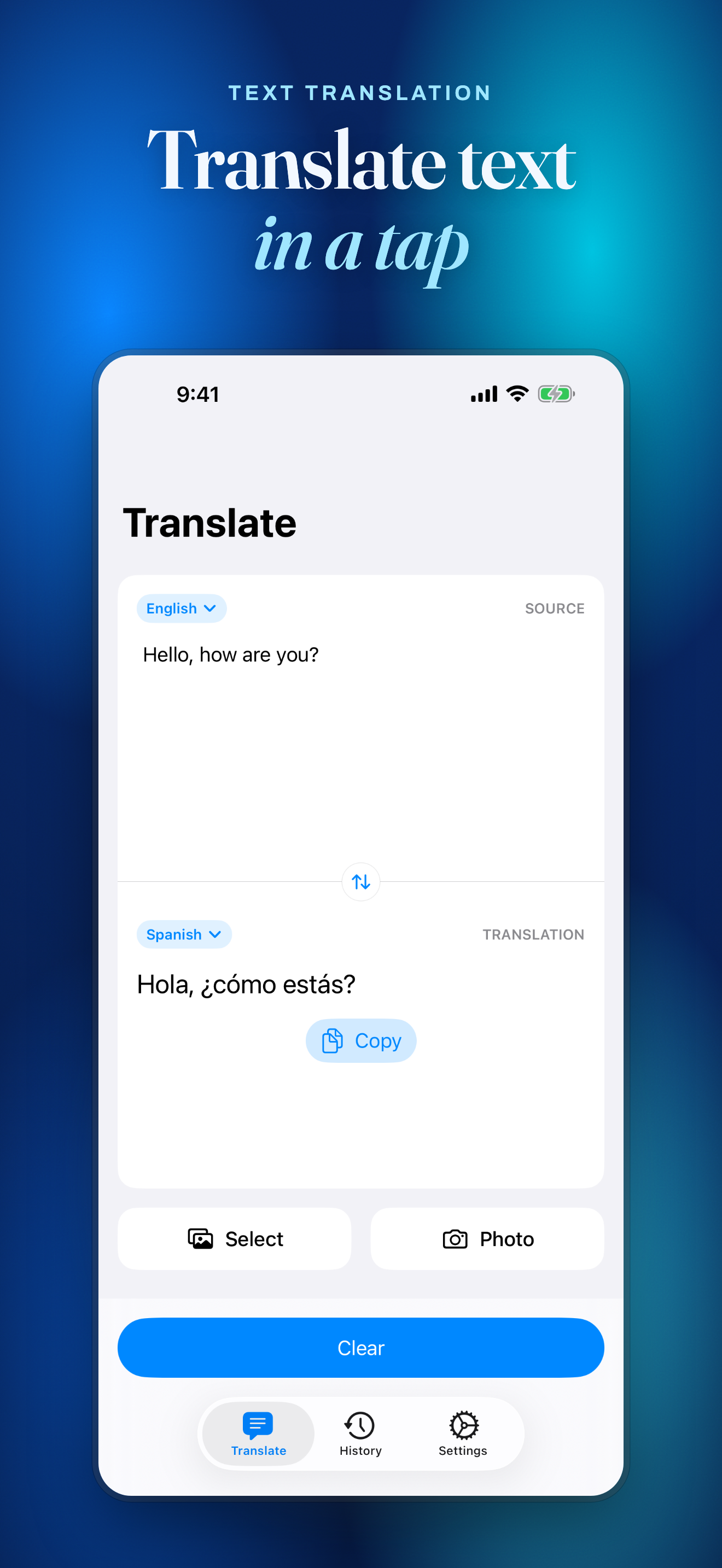
Translate typed or pasted text
Translate text from a photo or screenshot
The Glance keyboard, translating inline
Private by design

No servers. No accounts. No analytics. Glance sends your text straight from your device to the AI provider you chose — we never see it. Your key lives in your device Keychain, and on-device recognition means images usually never leave your device at all.

Read the full privacy policy →
Support

Need a hand?

Questions, bugs, or feedback about Glance — reach us directly. We usually reply within a day.